New ShareCut Plans & Product Updates (2025)
Update, September 2026: The plans and prices in this post were replaced on 17 July 2026. ShareCut now runs on Free, Pro (€9/month), Restaurant (€19/month) and Business (€29/month) — see the pricing page for what each one includes. The rest of this article is kept as it was published.
We’ve rolled out new pricing tiers, a smoother checkout, and several reliability & SEO improvements across ShareCut.
What’s new (at a glance)
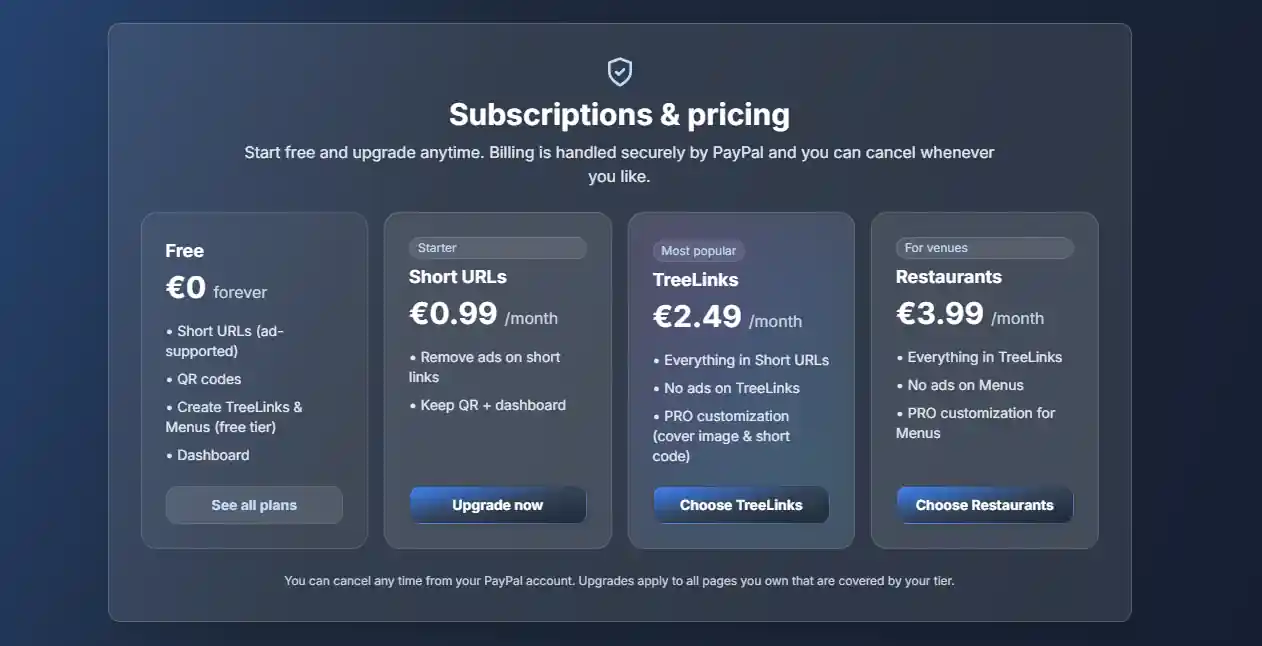
- New plans that scale with you: Free, Short URLs, TreeLinks, and Restaurants.
- Cleaner UI on the plans page with clearer feature lists and an improved checkout experience.
- More reliable billing: safer webhooks and one active subscription per account to avoid accidental double-charges.
- Security & quality: URL safety checks, improved breadcrumbs, and better on-page SEO.
Plans & pricing
| Plan | Price | Best for | Highlights |
|---|---|---|---|
| Free | €0 | Trying ShareCut | Ad-supported Short URLs, QR codes, create basic TreeLinks & Menus |
| Short URLs | €0.99 / month | Personal links, QR codes | No ads on Short URLs, dashboard analytics |
| TreeLinks | €2.49 / month | Creators & bios | Everything in Short URLs + no ads on TreeLinks + PRO customization |
| Restaurants | €3.99 / month | Venues & menus | Everything in TreeLinks + no ads on Menus + PRO customization |
How billing works
Subscriptions are handled through PayPal with a single active plan per ShareCut account. If you already have an active plan, the plans page will show a “Manage / Change plan” option instead of a new purchase button.
You can manage or cancel from PayPal at any time (PayPal → Settings → Payments → Manage automatic payments).
Pay with any PayPal account you own—multiple ShareCut users can pay using the same PayPal if that’s how your team works.
Other improvements
- Safer links: we run checks that help block unsafe or malicious URLs from being shortened.
- Breadcrumbs + SEO: consistent “Home → Blog → Article” breadcrumbs and richer metadata for better previews on search/social.
- Reliability: smarter handling of payment webhooks to avoid duplicates and keep your subscription status accurate.
- UI polish: clearer states on the plans page (e.g., hiding PayPal subscribe buttons when a plan is already active).
FAQ
Can I upgrade or change plans?
Yes. Head to Plans. If you’re active already, you’ll see “Manage / Change plan”.
Do upgrades apply to all my pages?
Yes—your plan’s features apply to the content covered by that tier (Short URLs, TreeLinks, or Menus) across your account.
Can I cancel anytime?
Absolutely. Manage it from your PayPal account at any time.
Where do I start?
Create a Short URL at /p/shortener, build a bio page at /p/link-tree, or set up a digital menu at /p/restaurant-menu. Analytics live at /p/stats.
Get started
Whether you’re sharing one link or managing menus across locations, there’s a plan that fits. Explore what’s new and upgrade when you’re ready.
By subscribing you accept our Terms and Privacy Policy.